Sep 17 2023 Site Update
Long time no see!
Took a bit of time to update
- my social networks: goodbye Google+, Twitter and Bitbucket; hello Mastodon and LinkedIn
- my resume: I’m not working as a developer anymore
- the CSS: because I’m still a developer at heart 😉
Aug 02 2015 S2 Geometry Library
The S2 Geometry Library is a spherical geometry library originally made by Google, released under the Apache License (Version 2.0), which is very useful for manipulating regions on the sphere (commonly on Earth) and indexing geographic data. I use it in several of my personal toy projects, both on desktop and on Android.

Sadly, it is/was hosted on Google Code, but Google Code is closing. The project has had no activity since 2011 and looks abandoned, so I had little hope to see it migrate somewhere else. Too bad for such a useful project!
But the beauty of Free and Open Source Software is that anyone is free to fork the code to fit his needs. And that’s what I did.
I’ve put the sources on Github, who hopefully won’t close in the near future. I have changed the build system to use Gradle instead of Ant, but the core of the library hasn’t changed.
The continuous integration is provided by Travis CI.
The binaries are published on Bintray, so using them in your Gradle or Maven build is dead easy.
For Gradle, add the following repository in your build.gradle:
repositories {
  maven {
    url "http://dl.bintray.com/jnegre/maven"
  }
}
Then reference the artifact you need:
dependencies {
  compile 'org.jnegre.google:s2-geometry:1.2'
}
If you’re using Maven, add the repository in your settings.xml:
<?xml version="1.0" encoding="UTF-8" ?>
<settings xsi:schemaLocation='http://maven.apache.org/SETTINGS/1.0.0 http://maven.apache.org/xsd/settings-1.0.0.xsd'
xmlns='http://maven.apache.org/SETTINGS/1.0.0' xmlns:xsi='http://www.w3.org/2001/XMLSchema-instance'>
  <profiles>
    <profile>
      <repositories>
        <repository>
          <snapshots>
            <enabled>false</enabled>
          </snapshots>
          <id>bintray-jnegre-maven</id>
          <name>bintray</name>
          <url>http://dl.bintray.com/jnegre/maven</url>
        </repository>
      </repositories>
      <id>bintray</id>
    </profile>
  </profiles>
  <activeProfiles>
    <activeProfile>bintray</activeProfile>
  </activeProfiles>
</settings>
Then add the dependency in your pom.xml:
<dependency>
  <groupId>org.jnegre.google</groupId>
  <artifactId>s2-geometry</artifactId>
  <version>1.2</version>
  <type>jar</type>
</dependency>
(I suspect the Maven developers are paid by the hard disk manufacturers to have such verbose file formats.)
Did I mention the fact that this library works perfectly well on Android? Because it does.
Gosh, I love Open Source!
Apr 18 2015 Dr. Jekyll and Mr. XSLT
I’ve always been a big fan of static websites, for mainly two reasons: simplicity and security. Simplicity, because why have a complex software on the server when the content is updated at most once or twice a month? Security, because the most secure lines of code are the ones that have never been written.
In 2002, nothing was really existing to easily generate a static website, so I wrote an Eclipse plugin, Stylo Plume, to help me accomplish this. And since the year was 2002, and I was working a lot with XML and XSL, I used XSLT.
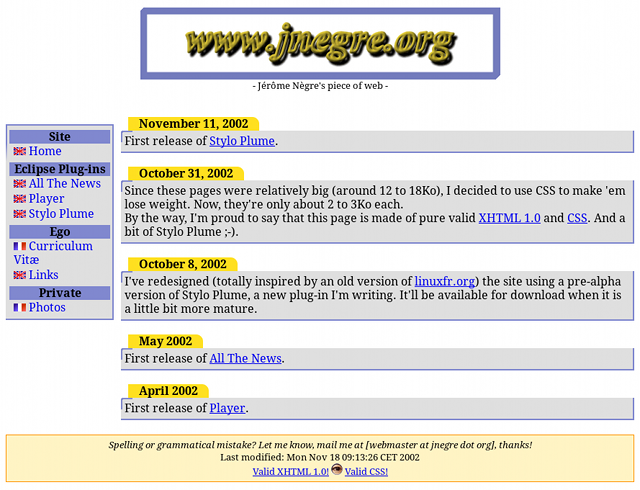
Fast forward 13 years later. I still think a static website is what I need, but I’m getting tired of XSLT, and I really don’t feel like testing and potentially fixing my plugin with Java 8 and the Eclipse 4 branch. So I started looking at some static site generators, and I stumbled upon a post from Tom Preston-Werner that sums up nicely my feelings:
I already knew a lot about what I didn’t want. I was tired of complicated blogging engines like WordPress and Mephisto. I wanted to write great posts, not style a zillion template pages, moderate comments all day long, and constantly lag behind the latest software release. Something like Posterous looked attractive, but I wanted to style my blog, and it needed to be hosted at the domain of my choosing. For the same reason, other hosted sites (wordpress.com, blogger.com) were disqualified.
Tom Preston-Werner is the creator of Jekyll, and after 2 weeks to migrate the source of my site, I can say that I’m now a happy user.
Mar 30 2015 Feeling hungry?
Do you feel hungry? Do you speak French?
If the answer to both questions is “yes”, I’ve added a bunch of recipes: Tarte à la tomate, Egg in the basket and Encornets à ma façon.
Bon appétit !
Aug 31 2012 OpenStreetMap and Android

This summer, I went on vacation to a place that was not covered by OpenStreetMap, so I became a small OpenStreetMap contributer and mapped the surroundings. Here’s the list of software that I used on my Android devices.
To gather GPS data, I used OSM Tracker for Android, available both in Google Play and via F-Droid. It’s a nice GPS tracker with fast Points of Interest (POI) placement shortcuts. It should be able to upload traces directly to OSM, but this functionality always crashed with me; uploading the generated traces (.gpx) with the website worked once I renamed the files to remove non-ASCII characters.
To edit the map, I used Vespucci, which is also available both in Google Play and via F-Droid. It’s fine for relative small edits, but for larger one you’d better use the Flash-based Potlatch 2. Another useful application to edit details such as the name of roads or POIs is OSMapTuner (see update), available in Google Play.
OpenFixMap (in Google Play) was very helpful to flag errors on the map. You’ll have to use an editor to fix them.
A more comprehensive list can be found on OpenStreetMap’s wiki:
Android software supporting OpenStreetMap.
Happy hacking mapping!
Update: I’ve just found another editor for POIs, Mapzen POI Collector. It can add POIs and has a much nicer user interface. However, it is limited to the most common types of POI, so if you have very special needs, it’s not for you.